Inspector Gadgets

One workflow from appointment to final PDF

Do the inspection. Keep the paperwork moving.

Inspector Gadgets brings the property, inspection type, checklist, photos, findings, forms, and client documents into one organized job. Work from your phone, tablet, or laptop without rebuilding the same information at every step.

Full-home inspectionsFlorida 4-PointOIR-B1-1802 wind mitigationState-approved checklists

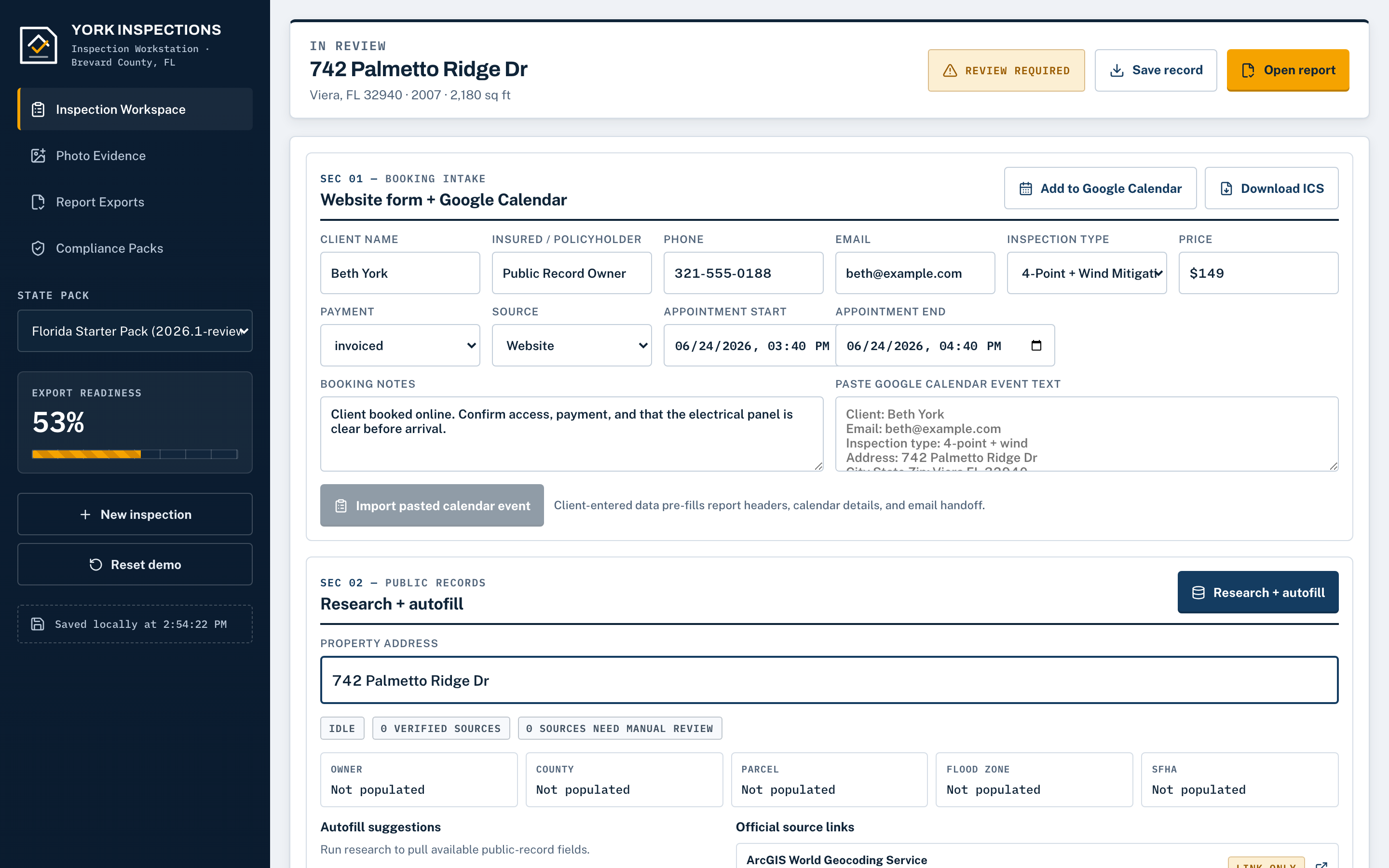
01 — Research the property

Start with the available property information already pulled in.

Enter the address and review available owner, parcel, year-built, square-footage, flood, roof, permit, and public-source information before the walkthrough. Inspector Gadgets keeps the source links with the job so you can verify what matters.

  • Florida property-record research
  • Permit-history source links
  • Address autocomplete
  • Calendar and ICS import
  • Inspector review before form use
Property researchSourced & linked
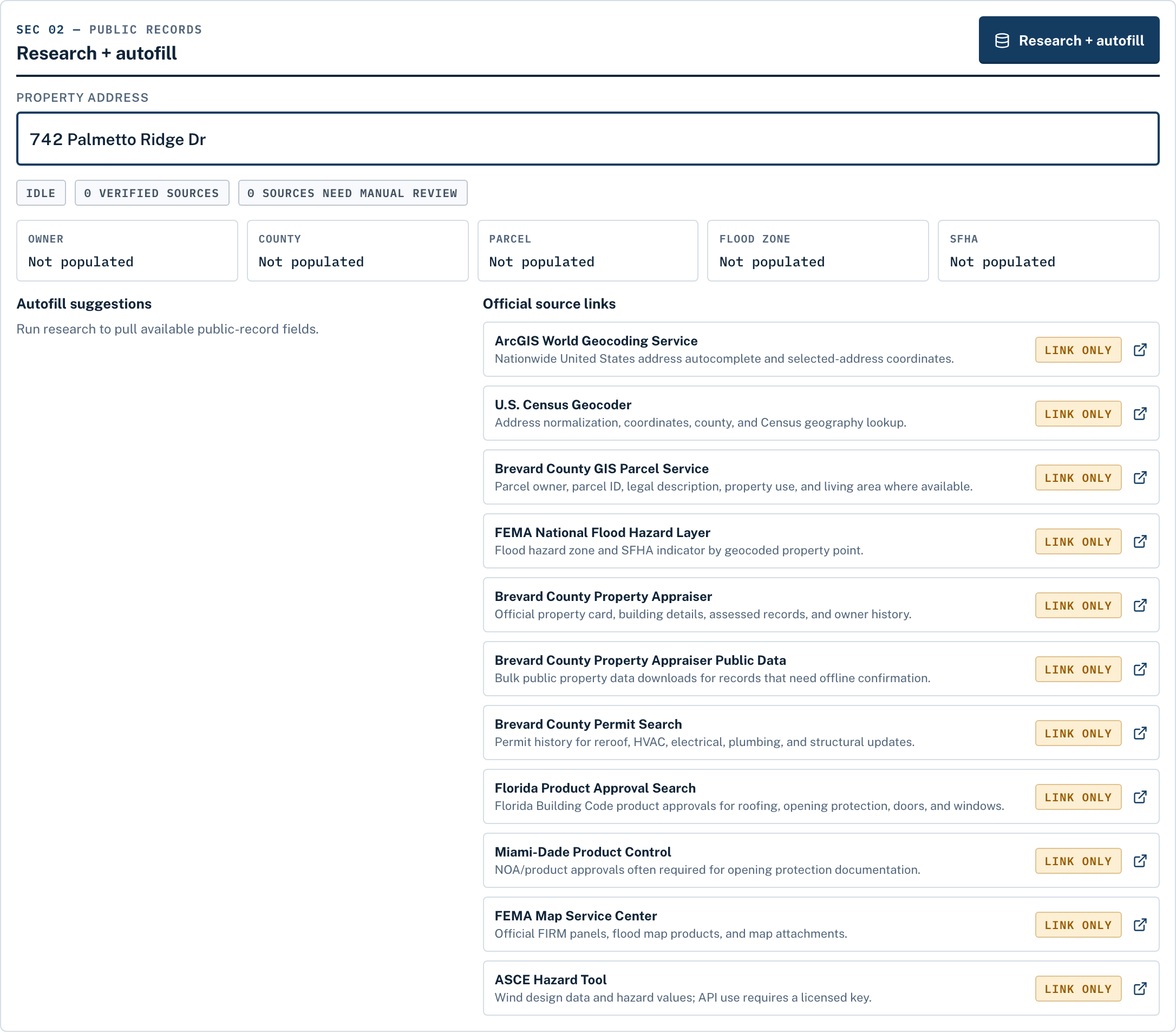
Property research panel showing owner, parcel, flood zone, and permit source links

02 — Run the inspection

Follow a guided workflow built around the inspection type.

Choose full-home, 4-point, wind mitigation, roof certification, or a combined inspection. The app shows the systems, fields, and photo requirements that belong to that job so you can see what is complete and what still needs attention.

  • State-approved checklists
  • Required-photo slots
  • Structured system findings
  • Reusable inspector profiles
  • Phone, tablet, and laptop access
Inspection workspaceGuided by type
Inspection workspace with guided systems, fields, and a readiness view

03 — Organize the photos

Keep the right photos with the right part of the job.

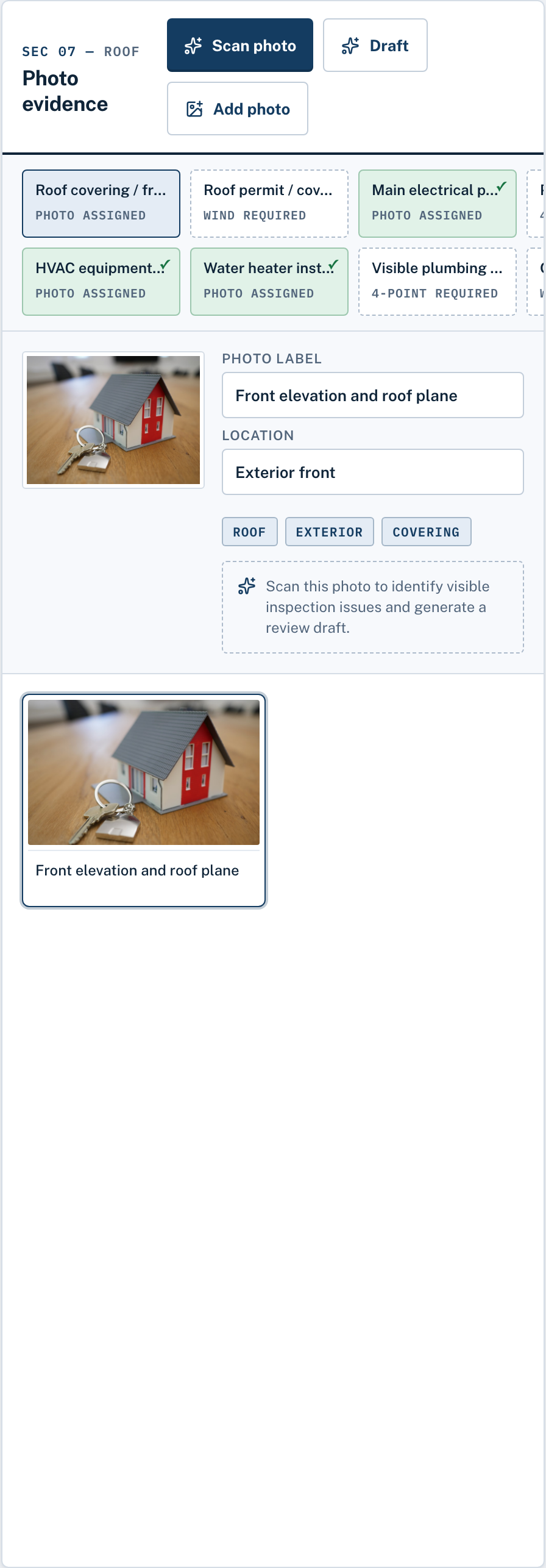
Capture or import multiple photos, place them into labeled slots, and rotate, crop, or brighten them before the report is built. Supported labels and data plates can be scanned for review, but you remain in control of every value used.

  • Labeled photo requirements per inspection type
  • Bulk import that sorts into the right slots
  • Crop, rotate, and brighten in the job
  • On-device label and data-plate scanning
Photo evidenceGuided checklist
Guided photo checklist with labeled slots for each system

04 — Review the work

See what is missing before you leave.

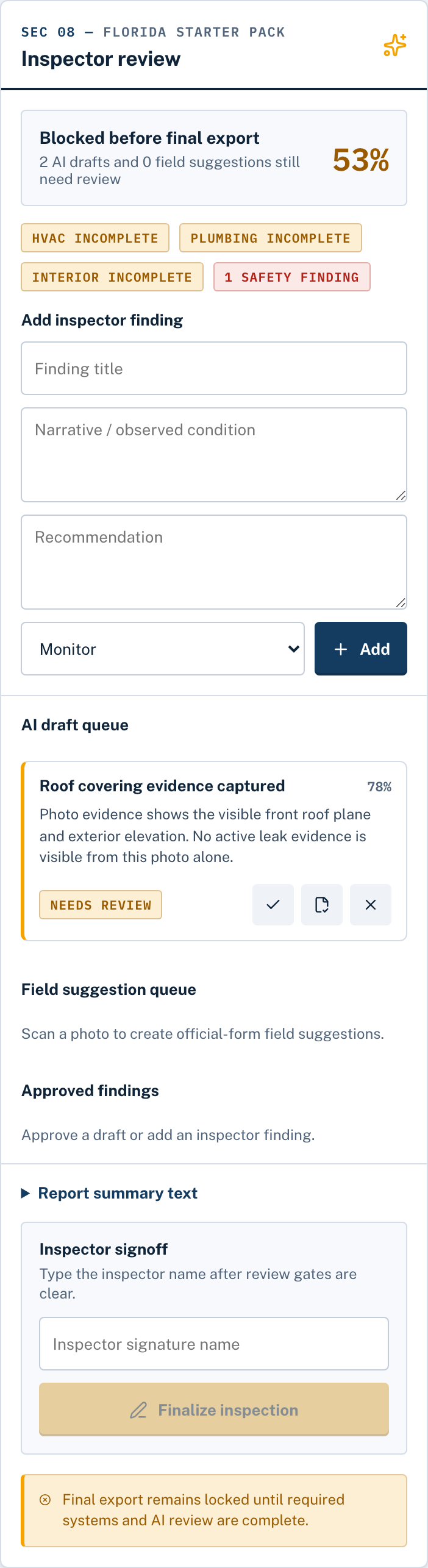
Readiness checks flag incomplete fields, missing required photos, and items that still need inspector review. Inspector Gadgets assists with organization and drafting; the qualified inspector verifies the property, approves the findings, and signs the final report.

  • Readiness view of what still needs attention
  • Approve, edit, or reject every suggestion
  • Unverified fields stay blank, never guessed
  • Signature gate before final export
Review & approveYou have the final say
Review step where the inspector approves, edits, or rejects each drafted finding

05 — Deliver the documents

Turn reviewed inspection data into finished PDFs.

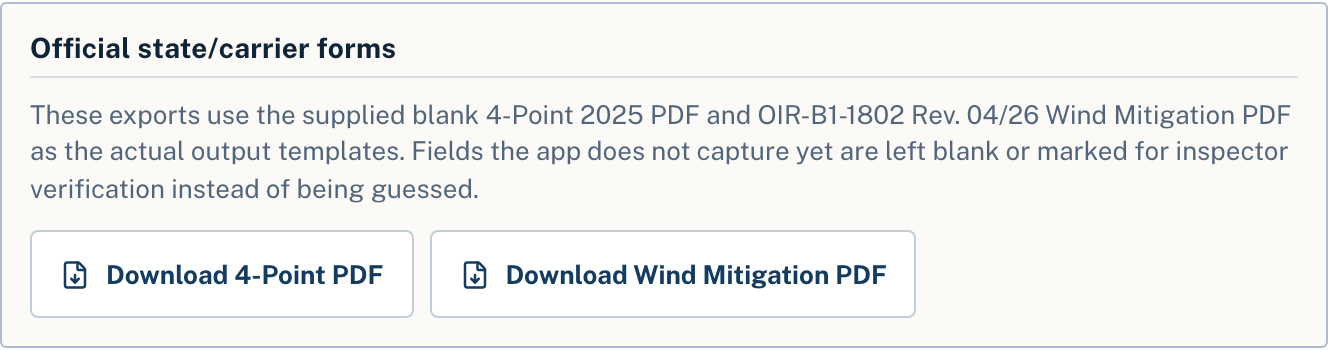
Carry approved job information into the configured Florida 4-point and OIR-B1-1802 templates, append organized photo pages, and download the completed documents. Create a client-ready package without retyping the same address, inspector, and system information into separate files.

  • Official Florida 4-Point (2025) and OIR-B1-1802 (Rev. 04/26) PDFs
  • Photo pages appended
  • Print, download, email, or share a view-only link
  • A full Standards-of-Practice report for full-home jobs

See the Florida forms in detail →

Report exportsOfficial templates
Official form exports: Florida 4-Point and Wind Mitigation PDFs

06 — Manage the job

Keep the appointment, client, files, and payment status together.

Save the inspection under the property, connect calendar details, reuse your inspector identity and branding, back up or share selected files through supported Google Drive workflows, collect inspection fees when enabled, and track payment status from the job.

  • Client profiles and appointments
  • Saved properties and inspection history
  • Inspector license, signature, initials, and logo
  • Collect inspection fees through connected Stripe and track payment status
  • Complete job exports and backups
Account & jobsAll in one place
Account sidebar with properties, appointments, and inspector profile

Use it on a real job

Spend less time rebuilding the report.

Start a 3-day free trial with full access. A card is required, and your chosen plan is charged on day 3 unless you cancel.

Start My Free Inspection
Official Florida formsYou approve every findingSyncs across your devices