Rev. 04/26 template
The output is prepared on the configured current-edition form — the document the carrier and the agent expect, not a template you re-key later.
Wind mitigation, on the new form
Inspector Gadgets connects property research, inspection findings and supporting photos in one job, then prepares the configured OIR-B1-1802 Rev. 04/26 output. The qualified inspector checks the evidence, resolves missing information and signs the final report.
Rev. 04/26 — the form changed this year
The Florida Office of Insurance Regulation lists the updated Uniform Mitigation Verification Inspection Form as effective April 1, 2026. Inspector Gadgets uses the configured Rev. 04/26 template. Check the official OIR resources and current six-page form (PDF) when preparing your assignment.
The output is prepared on the configured current-edition form — the document the carrier and the agent expect, not a template you re-key later.
Keep the configured form entries and their supporting photos together. Review the current form’s sections, including Region and Roof Slope, and resolve any missing or unverified information before signing.
Unverified fields stay blank, never guessed. The licensed inspector reviews every entry, confirms the required edition, and signs the final report.
Roof age — with a paper trail
Where public records are available, Inspector Gadgets brings permit information and its source link into the job. Those records are a research starting point. A permit issue date is not automatically the application date or the installation year requested by the current form.
Question 4 asks for a permit application date or FBC/MDC product approval number, together with the original installation/replacement year, or an indication that verification information was unavailable. Confirm the relevant evidence; do not substitute an issue date for an application date.
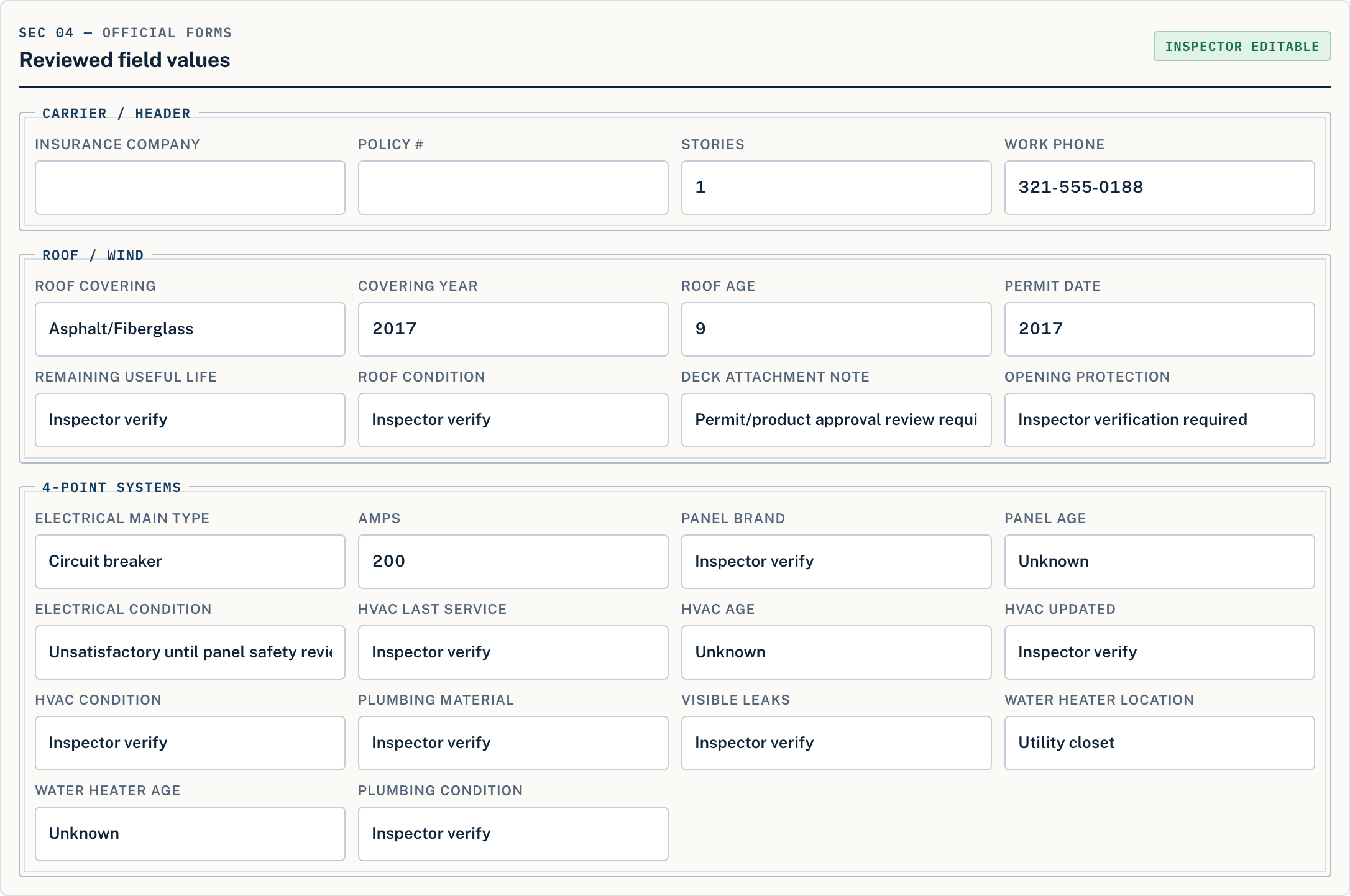
Related reports — one organized job
If an assignment calls for both reports, keep the evidence in the same inspection job while reviewing each form separately. See the Florida 4-Point software and photo-preparation checklist for the roof, electrical, HVAC and plumbing workflow.
Form requirements and acceptance can vary by carrier, program, and assignment. Confirm the required form and edition before delivery. Inspector Gadgets does not guarantee carrier acceptance or insurance outcomes.
Try it on your next wind mit
Create your free account — no card needed — then run your next inspection. Your first address is free, with the finished 1802 stamped SAMPLE. Clean, submission-ready reports come with a plan: $50 a month or $500 a year, both unlimited.
Start My First Inspection